A unified view of your business performance
Get a unified view of your marketing, sales and operational performance. We connect relevant data sources and build dashboards that support better decisions.
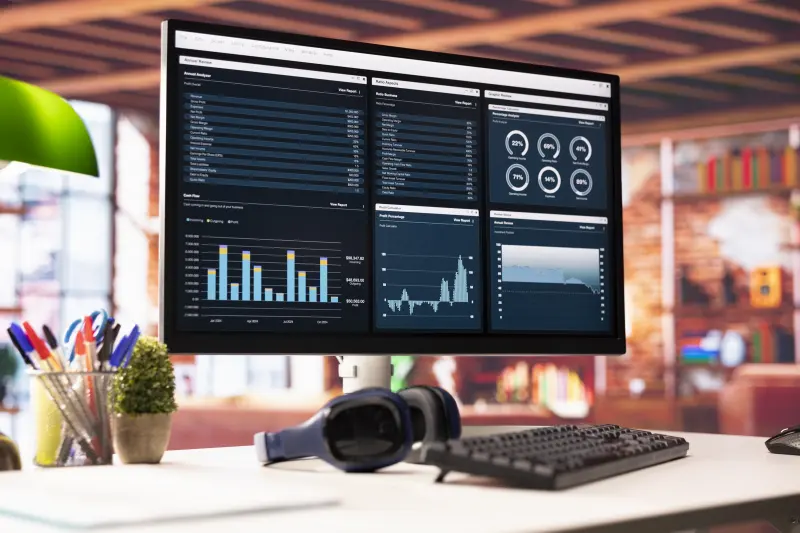
A business intelligence dashboard brings together data from your tools (ad platforms, GA4, Search Console, CRM, online store, spreadsheets) in a single view, so you can track key metrics without manual compilation. It is for business leaders, sales and marketing managers, and any team that spends too long assembling reports or makes decisions without reliable figures.
We start with the decisions you need to make and the questions the dashboard must answer, before choosing metrics and sources. We then check data quality, because a dashboard is only valuable if its numbers are right.
The result: shared metrics, updated automatically, available to the right people, with alerts when something changes.
What we fix
Reports built by hand
Every month, someone exports data from several platforms and pastes it into a spreadsheet.
Numbers that do not match
The CRM, ad platform and analytics show different results, and nobody knows which to trust.
A partial picture
Marketing tracks clicks, sales tracks revenue, but nobody connects the two.
Problems spotted too late
A drop in leads or a paused campaign is only noticed at month end.
Many metrics, few decisions
Existing reports are long and detailed but do not make clear what to do next.
How we work
Define the questions
Workshops with decision-makers to identify the decisions to support and the metrics that matter.
Audit the sources
Inventory of available data, its quality, refresh frequency and access.
Connect and model
Source connection, cleaning, harmonised definitions and metric calculation.
Build the dashboards
Executive and operational views, useful filters and role-based access.
Automate and evolve
Scheduled reports, alerts, user training and improvements based on feedback.
Use cases
Unified marketing dashboard
Spend, leads and cost per lead from Google Ads, Meta Ads and organic search in one view.
Sales pipeline tracking
Leads by source, stage conversion rates, response times and CRM-based forecasts.
E-commerce performance
Sales, average order value, return rate and channel performance, broken down by payment and delivery method.
Leadership view
A one-page summary with key metrics, trends and points of attention.
Anomaly alerts
Automatic notifications when traffic drops, conversion tracking stops or unusual variances appear.
Deliverables
Prerequisites and limits
Prerequisites
- Tools that record the necessary data (an up-to-date CRM, conversion tracking in place, or willingness to set them up).
- Read access to the relevant data sources.
- One or more managers ready to define and approve the metrics.
Limitations
- A dashboard reflects the quality of its data; a poorly maintained CRM will produce unreliable figures.
- Attributing sales to marketing channels remains an estimate, especially when the journey involves phone calls or physical stores.
- Some connectors or visualisation tools are paid, depending on volume or number of users.
Frequently asked questions
How much does a dashboard cost?
Cost depends on the number of sources, the state of your data, the number of views and automation needs. Some connectors or licences may be extra. We provide a quote after auditing your sources.
Which visualisation tool do you use?
We choose based on your context: Looker Studio, Power BI or another solution, depending on your sources, budget and the tools already in use.
How long does a first dashboard take?
A first version built on a few well-structured sources can be delivered fairly quickly. Timelines grow if data needs cleaning or tracking must be fixed first.
Who can see the data?
We set up role-based access. Each user only sees the views and data relevant to them, and access remains under your control.
Our tracking data is incomplete. Is that a blocker?
No, but it is the first thing to fix. We can start by making conversion tracking and CRM data entry reliable, then build the dashboard.
Will our teams use it?
Dashboards get used when they answer real questions. That is why we start from the decisions to be made, involve future users and provide short training.
Which decisions do you wantto make with reliable numbers?
Show us your tools and your questions. We will propose a first dashboard structure.